
Imagine an assistant on every sales call. It takes perfect notes and updates your CRM for you. This tool is a dream team bot—an AI sales assistant that handles administrative tasks. This lets your team focus on selling.
What Is a Dream Team Bot?
Manual data entry consumes a sales rep's time. After a call, they must recall key points, update deal stages, and log notes in the CRM. A dream team bot automates this work. It acts as a bridge between your conversations and your sales records.
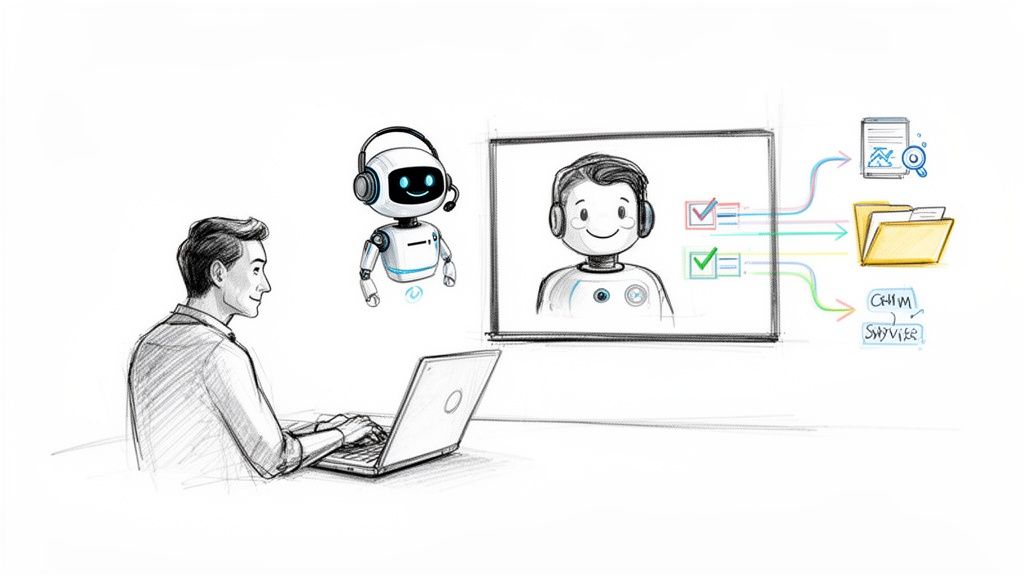
The process is simple. The bot connects to your video conference tool, such as Zoom or Google Meet. It also connects to your CRM, like Salesforce or HubSpot. When a meeting starts, the bot joins silently and transcribes the conversation.
The Problem: Manual Sales Notes
Sales teams spend too much time on administrative work. After a good call, the salesperson becomes a data entry clerk. This process wastes time and is prone to human error.
Key details get forgotten. Important next steps are missed. CRM records become inconsistent. This makes sales forecasts unreliable and creates clumsy handovers to other teams. All this admin reduces the time a rep could spend building relationships and closing deals.
A dream team bot converts unstructured conversations into structured, actionable data. It captures and organizes insights from every customer interaction without manual effort.
How a Bot Solves These Problems
A dream team bot automates the tedious parts of the sales cycle. It doesn't just record the call; it analyzes the transcript to find important moments and data points.
It identifies action items. The bot hears, "I'll send the proposal by Friday," and creates a task for the rep.
It captures customer objections. It flags concerns raised by the prospect so you can address them.
It updates CRM fields. It finds details like budget and timeline and syncs them to the correct CRM fields.
This process creates a single source of truth for every deal. Everyone on the revenue team—from sales managers to customer success reps—gets the full context of every customer relationship. Nothing falls through the cracks.
How a Dream Team Bot Works in Your Sales Workflow
Think of the bot as a silent partner on every call. It works in the background of tools your team already uses, like Zoom, Google Meet, and Microsoft Teams.
Connect it to your calendar once. The bot will see scheduled sales meetings and join the call automatically. As the conversation starts, it begins transcribing every word. Your team can focus on the customer, not on typing notes.
Turning Conversation into Actionable Data
A transcript is useful, but the real work happens after the call. The bot analyzes the conversation to extract the information that helps close a deal. It is trained to identify critical sales moments.
Here are examples of what it flags and organizes:
Customer Objections: It captures phrases like "I'm not sure about the price" for later review.
Competitor Mentions: The bot notes when a prospect mentions a competitor and the surrounding context.
Budget and Timeline Details: It extracts specific numbers, dates, and deadlines.
Action Items: It logs commitments like "I'll send the proposal" as clear next steps.
This process turns a conversation into organized data. You get a reliable summary of what matters, instead of relying on a sales rep's memory.
The bot translates spoken words into structured data within your CRM. It closes the gap between what is said on a call and what gets logged, ensuring no crucial details are lost.
This type of automation is becoming standard. In Brazil, AI adoption is growing rapidly in the sales tech sector. A recent AWS data report notes that 40% of Brazilian companies use AI, a figure that rises to 53% for startups. Tools that automate sales tasks are essential for staying competitive.
The table below shows how this workflow changes a sales process.
Manual vs. Automated Sales Workflows: A Comparison
Sales Activity | Manual Process (Without Bot) | Automated Process (With Bot) |
|---|---|---|
Note-Taking During Calls | Rep tries to talk, listen, and type at once. | Bot transcribes the entire call. Rep stays focused on the customer. |
Call Summary & Follow-up | Rep spends 15-30 minutes post-call writing summaries. | Bot generates an AI summary with key takeaways in seconds. |
Updating the CRM | Manual data entry of notes, next steps, and deal stage changes. | Bot auto-syncs call data, objections, and action items to the CRM. |
Coaching & Feedback | Manager relies on spot-checking calls or secondhand information. | Manager can search transcripts for keywords and coach on specific examples. |
Pipeline Accuracy | Relies on reps remembering to update records, causing delays. | CRM is always up-to-date with the latest call information. |
The difference is clear. Automation saves time and improves the quality and reliability of your sales operations.
Syncing Your CRM Automatically
The final step is moving this information into your CRM. A dream team bot connects directly with platforms like Salesforce or HubSpot. It automatically pushes call data into the correct records.
The bot populates fields in the opportunity or contact, updating deal stages and next steps. We cover similar workflows in our guide on improving inside sales with a CRM.
The result is accurate, current pipeline data without manual admin. You get a single source of truth for every deal, reflecting real-time field activity.
How a Dream Team Bot Benefits Your Entire Revenue Team
This tool helps more than just one person. It impacts the entire revenue organization. By automating data capture, it removes friction between departments and aligns everyone on the same information.
The bot’s workflow is straightforward. This visual shows how it fits into your sales process: it joins calls, transcribes them, and syncs key details to your CRM.
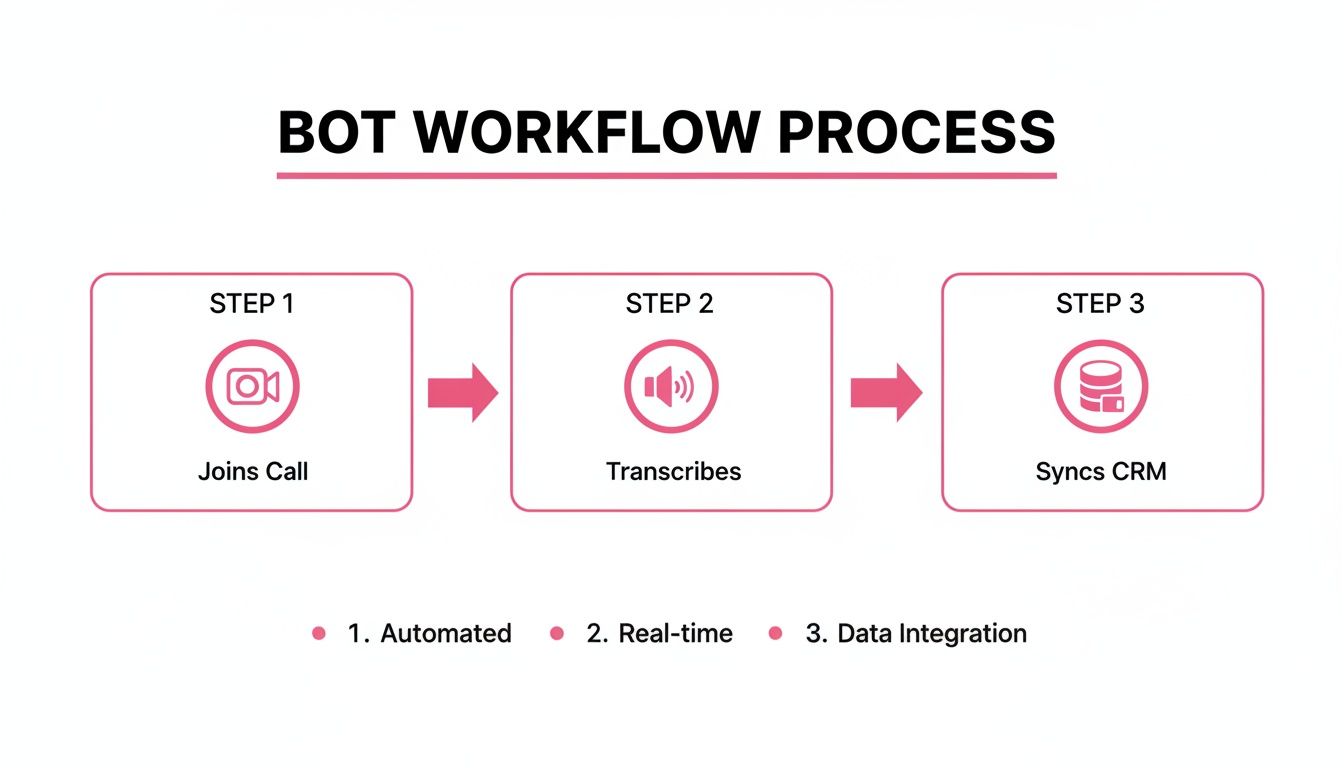
This automated process captures every insight without manual effort, creating a solid record for the entire team.
How It Helps Account Executives
For salespeople, the biggest benefit is simple: more time to sell. Instead of spending up to 30 minutes after each call on CRM updates, they can move directly to the next prospect.
The bot also acts as a perfect memory aid. An Account Executive (AE) can remain fully present in the conversation, knowing that every commitment and customer pain point is being recorded. The fear of forgetting a crucial detail is eliminated.
How It Helps Sales Managers
Sales managers gain visibility into their team's performance without having to join every call. During pipeline reviews, they can access transcripts and AI-generated notes to understand a deal's true status.
With a dream team bot, coaching becomes evidence-based. Managers can search transcripts for keywords—like a competitor's name or a pricing objection—to identify trends and provide targeted, data-backed feedback.
This capability allows them to:
Identify deal risks early. They can spot potential red flags before they derail a sale.
Share successful tactics. They can find examples of effective talk tracks from top performers to train the whole team.
Forecast with more confidence. Predictions are based on the substance of customer conversations, not just on manually entered CRM data.
How It Helps Customer Success and RevOps
The value extends beyond a closed deal. Clean, detailed call histories improve customer handoffs and operational health.
Customer Success Managers (CSMs) start new client relationships with the full story. They can review call transcripts to understand what was promised during the sales process. This leads to faster onboarding and a better client experience.
For the Revenue Operations (RevOps) team, the bot helps enforce processes and maintain data hygiene. It ensures CRM records are updated with high-quality, structured information automatically. This clean data is the foundation for accurate reporting and effective how to master revenue growth strategies.
A Practical Checklist for Implementing Your Dream Team Bot
Adding a new tool can seem complex, but setting up a dream team bot is fast. The process takes hours, not weeks. A structured plan helps your team see the benefits immediately without disrupting their current workflow.
Start with a small group to prove the concept. Get some quick wins, then roll it out to the entire team. This approach builds excitement as people see how the tool makes their jobs easier.
Your 5-Step Implementation Checklist
Follow this roadmap for a smooth implementation.
Define One Clear Goal. What is the main problem you want to solve? Is it reducing the 3-4 hours reps spend on admin each week? Or do you want cleaner CRM data for more reliable forecasts? Focus on one specific objective to measure success.
Connect Your Core Tools. The bot needs to connect to your existing software. This typically involves granting access to your video conference tool (like Zoom or Google Meet) and your CRM (like Salesforce or HubSpot). This takes just a few clicks.
Configure It for Your Team's Language. Teach the bot the specific terms your team uses. Set it up to recognize your sales methodology, competitor names, and product features. This step ensures it pushes the right information into the right CRM fields.
Run a Small Pilot. Select 2-3 enthusiastic reps to use the bot for one or two weeks. Their feedback is crucial. You will learn what works and what needs adjustment before a full rollout.
Create a Simple Training Plan. After fine-tuning, schedule one training session for the team. Focus on the benefits (more selling time, less admin) and the process (it works in the background). Show them how it helps them directly.
The goal is to deliver value quickly. By focusing on a clear objective and starting with a pilot, you prove the bot's worth almost immediately and avoid common implementation delays.
Prepare Your Team for Success
Set clear expectations before you begin the pilot. Frame the dream team bot as an assistant that is there to help, not to micromanage.
Explain that its job is to automate the data entry and note-taking they dislike. This frees them to focus on building relationships and closing deals. Clear communication builds trust and gets your team on board.
For more ideas on improving your sales process, read our guide on lead qualification techniques.
How to Measure the Bot's Success and ROI
You must prove that any new sales tool is worth the investment. To show a dream team bot's value, look at both quantitative data and qualitative improvements in your team's daily work.
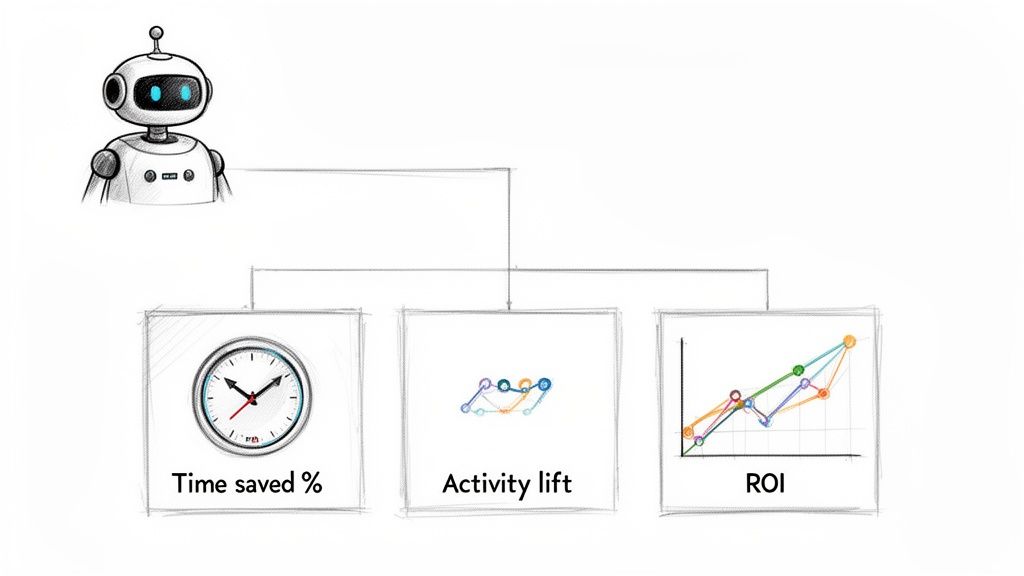
Connect the bot's automation features directly to better sales performance. Track specific Key Performance Indicators (KPIs) to create a clear before-and-after picture of its impact.
Define Your Key Performance Indicators
First, establish a baseline. Before you roll out the bot, measure your team's current performance. After implementation, track the same metrics to measure the change.
Here are the quantitative metrics to track:
Time Saved on Admin: Measure the average time reps spend on CRM updates and call summaries before and after the bot. Every minute saved boosts productivity.
Increase in Sales Activities: With less admin work, reps should make more calls and book more meetings. Track the number of customer-facing activities per rep each week.
CRM Data Accuracy: Measure the percentage of opportunities with complete and up-to-date fields. The bot should increase this number, making your forecasting more reliable.
Deal Cycle Length: Better data and faster follow-ups can shorten sales cycles. Track the average time from first contact to a closed deal.
Calculate a Clear Return on Investment
Activity metrics are important, but leadership wants to see the Return on Investment (ROI). Connect the cost of the bot to tangible business results.
A simple ROI model makes the business case clear. It changes the conversation from "this is a nice tool" to "this tool directly contributes to our revenue."
Here is a straightforward way to calculate ROI:
Calculate Time Savings. Multiply the hours saved per rep each week by their hourly cost.
Value of Increased Activity. Assign a monetary value to the extra sales activities your team now performs.
Total Value vs. Cost. Add your time savings to the value of the new activity. Then, subtract the bot's subscription cost. The result is your ROI.
This shift toward automation is a global trend. In Brazil, AI is reshaping B2B sales, with adoption expected to reach 40% by mid-2025. According to reports on Brazil's digital transformation journey, 89% of companies there believe AI will accelerate their growth by improving data accuracy.
Acknowledge the Qualitative Wins
Not all benefits fit in a spreadsheet. These qualitative improvements are just as valuable.
Consider the impact on:
Better Coaching: Managers can use actual call transcripts for targeted, evidence-based feedback.
Smoother Onboarding: New clients have a better experience when their sales history is documented, creating a clean handoff to customer success.
Improved Team Morale: Reps are happier and more motivated when they are freed from tedious data entry.
How to Handle Privacy and Compliance
Using a dream team bot means recording customer conversations. This raises questions about privacy and legal compliance. Getting this right is about more than following laws; it is about building customer trust.
Every person in a meeting must know they are being recorded and give their consent. This is required under data privacy laws like Brazil's LGPD (Lei Geral de Proteção de Dados). Failure to comply can lead to legal penalties and damage your company’s reputation.
Best Practices for Transparency and Consent
Making sure everyone agrees to the recording is easy if you build it into your workflow. Disclosure should be a standard part of every call.
Here are three steps to operate ethically and legally:
Automated Calendar Notifications. Set up meeting invites to include a notice that the call will be recorded for quality and note-taking purposes.
Verbal Disclosure at the Start. Begin each call with a simple statement. For example: "I have my AI assistant on the line to transcribe our chat so I can give you my full attention. Is everyone okay with that?"
Visible Bot Participant. The bot should appear as a participant in the meeting, with a name like "Samskit Notetaker." This is a constant, visible reminder that the conversation is being recorded.
The purpose of recording is service, not surveillance. The bot captures details to ensure promises are kept and customer needs are met, which improves their overall experience.
By making consent a routine part of your process, you protect your business and show customers you respect their privacy. This is how you use your dream team bot responsibly.
Frequently Asked Questions About Sales AI Bots
It is smart to ask questions before adopting new technology. Here are answers to common questions about using a dream team bot.
How well does it handle different accents and languages?
Modern AI transcription models are trained on vast amounts of speech data from around the world. A quality bot can accurately transcribe conversations with a wide range of accents and dialects.
Most platforms support English, but the best ones regularly add new languages. Before choosing a bot, confirm that it supports the languages your team and customers use.
How long does it take to set up?
Setup is surprisingly quick, often taking less than an hour. The process involves connecting your calendar, video conference tool (like Zoom or Google Meet), and CRM. It is a guided, click-through process that requires no coding.
Team training is also straightforward. The bot works in the background, so you are not teaching a complex new software. A single one-hour session is typically enough to get everyone started.
A dream team bot is designed to fit into your existing process without disruption. It delivers value from day one without a steep learning curve.
Is our customer conversation data secure?
Yes. Reputable providers make data security a priority. All conversation data and transcripts are encrypted during transfer and storage using industry-standard protocols.
Choose a provider that is transparent about its data handling practices and complies with privacy laws like LGPD. Your data should only be used to provide the service to you and never sold or shared.
Can we customize the bot for our sales process?
Yes. Customization allows the bot to fit your specific needs. You can teach it to listen for your product names, key competitors, and unique sales terminology.
This ensures the AI understands conversations in the context of your business. It can then map that information to the correct fields in your CRM, making it a true part of your sales workflow.
Ready to eliminate CRM admin and give your team more time to sell? See how Samskit can reshape your sales process. Explore Samskit today.