A CRM for inside sales is the control center for your sales operation. It turns a contact list into a sales engine. Your team can track every interaction and manage many deals at once.
Why a CRM Is Your Inside Sales Control Center
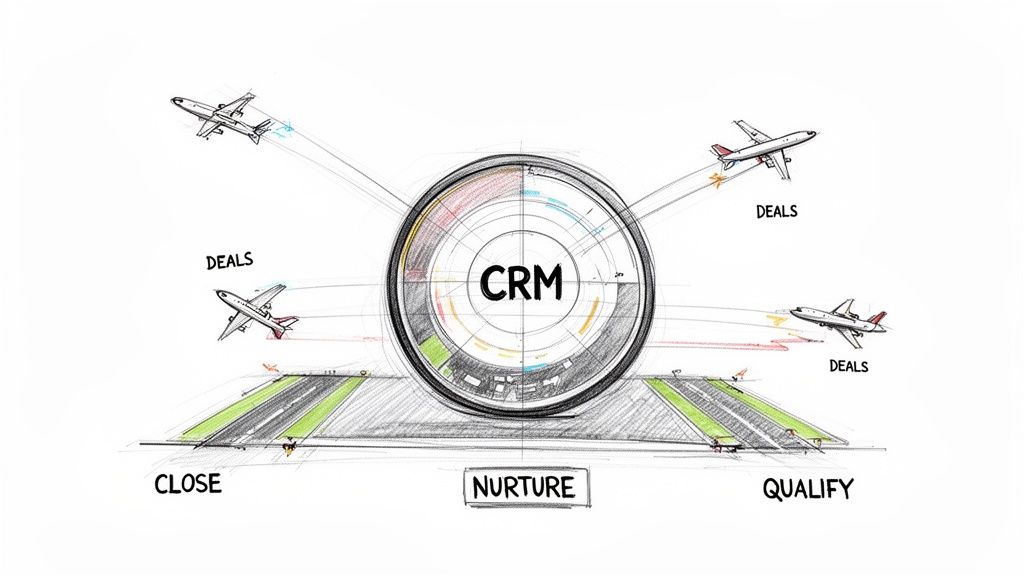
Imagine your inside sales team is an air traffic control tower. Each deal is an airplane. Without a central system, controllers would use sticky notes to guide each plane. That is chaos.
A CRM acts as your radar and communication system. It gives you a single, clear picture of every deal.
This system gathers all customer data in one place. It logs every email and follow-up call. This creates a complete history for every account. This visibility is essential for inside sales reps who handle dozens of opportunities at once.
From Reactive to Proactive Sales
A well-used CRM helps you shift from reactive to proactive selling. Reps use data to guide their actions. They no longer guess which lead to call next. This structured approach helps teams organize their day. They focus on activities that produce results.
Let's compare the old way of doing things with a modern, CRM-driven approach.
Manual Sales vs. CRM-Powered Inside Sales
Activity | Manual Sales Approach | CRM-Powered Inside Sales Approach |
|---|---|---|
Lead Prioritization | Reps use gut feeling to decide who to call. | The CRM scores and prioritizes leads based on data, showing reps where to focus. |
Call Preparation | Reps search through scattered emails and notes for context. | A single click shows the full interaction history and deal details. |
Follow-up | Reps use manual reminders that are easy to miss. | Automated tasks are created based on call outcomes, ensuring nothing is forgotten. |
Reporting | Managers manually collect data from reps for reports. | Real-time dashboards provide instant visibility into pipeline health and activity. |
The difference is clear. One approach relies on guesswork. The other uses data and efficiency.
A CRM turns sales from an art into a science. It provides a framework for predictable growth. It ensures no opportunity is lost and every interaction is meaningful.
The Impact of Modern CRM Features
Today's CRM platforms, like Salesforce or HubSpot, have tools that increase efficiency. In Brazil, for example, the CRM market is quickly adopting AI and automation. Data shows that 74% of companies that combine marketing automation with their CRM report higher conversion rates.
Predictive analytics help B2B account executives anticipate customer needs. This allows them to personalize their approach. You can learn more about these emerging CRM trends in Brazil to see where the industry is heading.
This data-driven approach means reps focus on leads most likely to buy. They tailor their messaging based on a prospect’s history. They can automate routine follow-ups. A CRM doesn't just hold information; it makes that information work for you.
Building Essential Inside Sales Workflows in Your CRM
A CRM is only as good as the processes you build within it. Workflows turn a passive database into an active playbook. They guide your reps from one step to the next.
For an inside sales team, speed and efficiency are critical. A standardized approach brings consistency to how you handle every lead, contact, and deal. Let’s walk through the core workflows you need to build.
The Lead Qualification Workflow
Not every lead is worth a sales rep's time. A qualification workflow acts as a filter. It ensures reps focus their energy on prospects who are likely to buy. The goal is simple: separate weak leads from serious buyers, fast.
First, define what a "qualified" lead looks like for your business. Once you have that profile, you can set up your CRM to help with qualification.
A Quick Lead Qualification Checklist:
Set Up Lead Scoring: Assign points to leads based on their firmographics (company size, industry) and behaviors (visited pricing page). Your CRM can then automatically surface the best leads.
Create Routing Rules: Don't let good leads go cold. Set up rules to instantly route high-scoring leads to the next available rep.
Define a Clear Hand-Off: List the specific information a sales development rep (SDR) must gather before passing a lead to an account executive. This ensures every opportunity is ready for a sales conversation.
Contact and Account Management
Once a lead is qualified, it becomes a contact, usually linked to a company account. This is where good record-keeping pays off. Each contact page in your CRM should be the single source of truth for that relationship.
A poor system leads to chaos, like two reps calling the same person. A well-designed workflow prevents these mistakes.
A rep should be able to look at a CRM record and understand the entire relationship in under 30 seconds. This includes past conversations, open deals, and support history.
Opportunity and Pipeline Tracking
This workflow maps the exact stages a deal moves through, from the first conversation to a signed contract. Customize the generic pipeline stages in your CRM to match your customer's buying journey.
For this to work, every stage needs a clear "exit criterion." This is a specific action the buyer must take to move the deal forward. This practice makes your forecasting a data-driven process instead of guesswork.
A Simple Pipeline Example:
Qualification: Prospect confirms a need and a budget.
Solution Discovery: Demo is complete; they are evaluating your solution.
Proposal Presented: They have the quote and are reviewing it with decision-makers.
Negotiation: You are finalizing terms, pricing, and contract details.
Closed Won/Lost: The deal is signed, or you part ways.
Automating Key Sales Tasks
Reps spend a large part of their day on administrative work. Automation fixes this. It is a critical workflow for any modern CRM inside sales team.
Easy Automation Wins:
Automate Follow-up Reminders: Set up a rule so that after a call is logged, the CRM automatically creates a follow-up task for the correct date.
Use Email Templates: Build a library of email templates for common situations, like initial outreach or a post-call summary. This saves time and ensures consistent messaging.
Trigger Automatic Data Updates: Configure your CRM to automatically update fields when a deal moves to a new stage. This keeps your data clean with no manual effort.
By building these workflows, you create a system that helps your sales team perform better. Each process supports the next, creating a scalable engine for growth.
Mastering Pipeline Management and Data Hygiene
A good CRM workflow is useless if the data is bad. Inaccurate information creates messy reports and leads to lost deals. Mastering data hygiene is a core strategy for any inside sales team that wants to hit its numbers.
Think of your sales pipeline like a plumbing system. Clean data is the water that flows freely. Dirty data—like duplicates or missing deal stages—clogs the pipes.
This is a common problem. A study found that 76% of organizations believe less than half of their CRM data is accurate. This directly translates to lost revenue. Modern tools can help ensure that what is said in a meeting ends up correctly in the CRM.
This diagram shows how a basic CRM workflow should function.
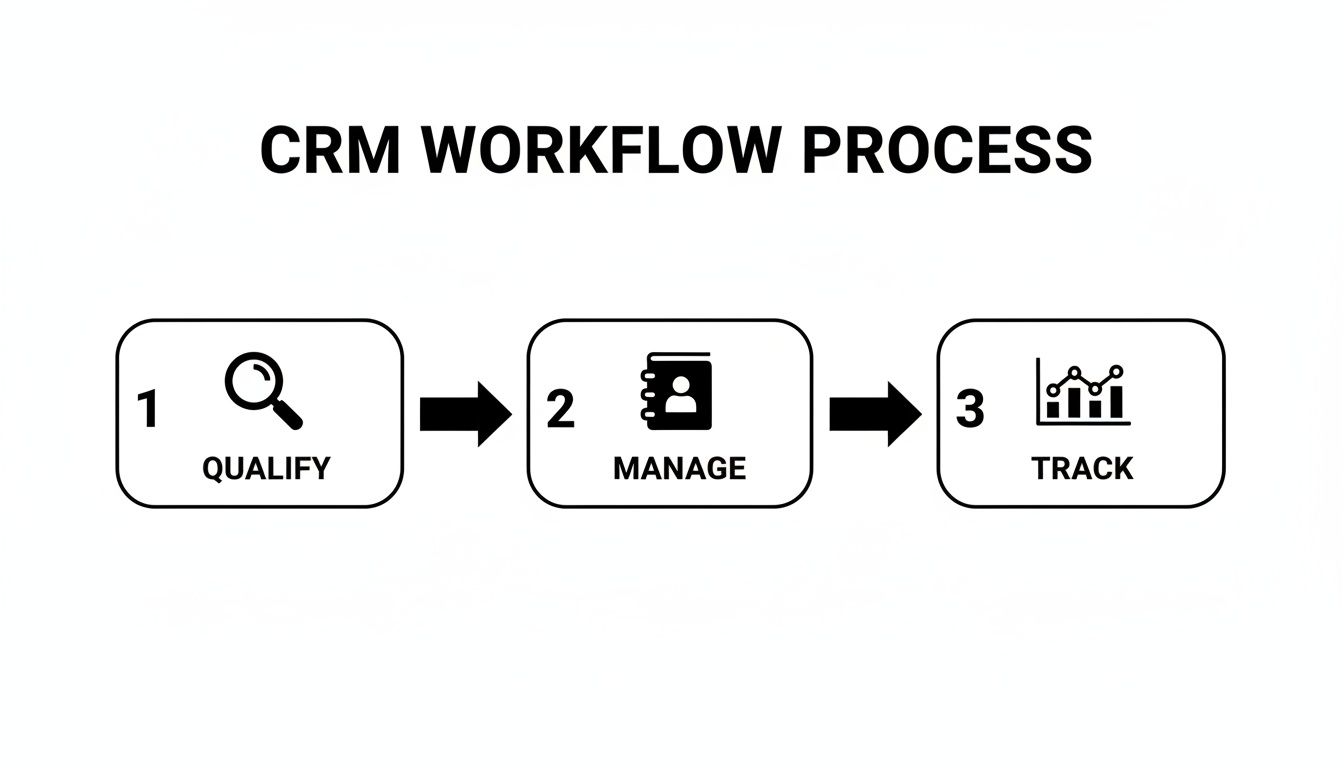
As you can see, each stage relies on information from the previous one. If the data is weak at the start, the whole process fails.
A Practical Checklist for Clean CRM Data
Keeping data clean requires a consistent effort from the whole team. It is an ongoing habit, not a one-time project. Here’s a checklist to keep your CRM inside sales data trustworthy.
Set Clear Data Entry Rules: Decide what information is mandatory for every new contact, account, and opportunity.
Run Regular Duplicate Checks: Use your CRM's tools to find and merge duplicate records. Make this a weekly task.
Audit Your Data Periodically: Assign someone to check a sample of CRM records each month. Look for inconsistencies, outdated info, and deals that have not been updated in over 30 days.
Data hygiene is the foundation of a healthy sales pipeline. When your data is trustworthy, your forecasts are more accurate and your team's confidence in the system grows.
Connecting Data Hygiene to Pipeline Velocity
Clean data directly impacts pipeline velocity—the speed at which deals close. With accurate data, you can see where deals are getting stuck. This gives you a chance to fix problems early.
When reps update the CRM manually, details get lost. They might forget to log a key objection or a budget confirmation from a call. This missing information slows down the deal. To learn more about how data is handled, you can check out our privacy policy.
The Role of Automation in Data Accuracy
Automation can solve this problem. Tools that automatically capture call notes and next steps remove the burden of manual data entry from your reps.
Instead of spending 30 minutes after a call typing up notes, a rep can move to the next call. They can be confident that the CRM record is already updated with an accurate summary.
By automating CRM updates, you get two big wins. First, you improve data quality. Second, you free up your reps to spend more time selling.
Tracking the Right Metrics for Inside Sales Teams
Your CRM is the engine of your inside sales team. Your metrics are the dashboard. Without the right data, you are flying blind. You cannot know if your sales process is working or where it is failing. Tracking the right Key Performance Indicators (KPIs) turns your CRM from a database into a performance management tool.
It gives you a clear, real-time picture of team and individual performance. This allows managers to provide sharp, data-driven guidance. To make sense of the numbers, group your metrics into three core categories.
Activity Metrics: What Your Team Is Doing
Activity metrics measure the raw effort your reps put in each day. These numbers are the foundation of your sales process. They often provide the earliest warning signs of pipeline trouble.
These are your leading indicators. If call volumes drop this week, you will likely see fewer meetings booked next week. This could lead to a dip in closed deals next month.
Calls Made: The total number of outbound calls a rep completes.
Emails Sent: The volume of emails sent, often through sequences.
Meetings Booked: The number of qualified meetings or demos scheduled.
Efficiency Metrics: How Well They Are Doing It
Efficiency metrics show how effectively a rep converts effort into progress. A rep who makes 50 calls to book five meetings is more efficient than one who makes 100 calls for the same result.
Your CRM inside sales dashboard should highlight these conversion points. They reveal skill gaps and show you where to focus your coaching.
Tracking efficiency is about understanding the quality of the activity, not just the quantity. It helps you pinpoint where in the sales process reps are struggling or excelling.
For instance, a low call-to-meeting conversion rate might signal a weak opening pitch. A long sales cycle could mean reps are not creating enough urgency.
Lead-to-Opportunity Conversion Rate: The percentage of qualified leads that become active sales opportunities.
Sales Cycle Length: The average time it takes to close a deal.
Win Rate: The percentage of opportunities that become closed-won deals.
Outcome Metrics: The Results They Achieve
Outcome metrics measure what really matters: the bottom line. These are the direct results of all activities and efficiencies combined. They reflect revenue and quota attainment.
These are your lagging indicators. They confirm if your sales strategy is working. You cannot manage outcomes directly, but you can influence them by improving the activity and efficiency metrics.
Quota Attainment: The percentage of their sales target a rep or team achieves.
Average Deal Size: The average revenue value of a closed-won deal.
Total Revenue Closed: The total amount of new business brought in over a specific period.
Here is a summary of essential metrics for your inside sales CRM dashboard. It gives you a complete view, from daily tasks to final results.
Inside Sales CRM Metrics Dashboard
Metric Category | Example KPI | What It Measures | Why It Matters |
|---|---|---|---|
Activity | Calls Made | The volume of daily/weekly outbound dials per rep. | Measures raw effort and is a leading indicator of pipeline health. |
Activity | Emails Sent | The number of prospect emails sent. | Gauges the scale of outreach and top-of-funnel engagement. |
Activity | Meetings Booked | The number of qualified appointments scheduled. | The first major conversion from outreach to a real conversation. |
Efficiency | Lead-to-Opportunity Rate | % of leads that convert into a sales opportunity. | Shows lead quality and the effectiveness of the qualification process. |
Efficiency | Sales Cycle Length | The average time from opportunity creation to closing. | Highlights bottlenecks in the sales process and impacts revenue velocity. |
Efficiency | Win Rate | % of all opportunities that are closed-won. | The ultimate measure of a rep's ability to sell effectively. |
Outcome | Quota Attainment | % of the sales target achieved. | Directly measures performance against business goals. |
Outcome | Average Deal Size | The average revenue value of closed-won deals. | Informs sales forecasting and identifies trends in deal value. |
Outcome | Total Revenue Closed | The total revenue generated from new deals in a period. | The final, bottom-line result of all sales efforts. |
By building a dashboard that shows these KPIs, you give your team a clear roadmap. Everyone knows what is expected, where they stand, and what they need to do to improve.
Using Automation to Supercharge Your Sales Performance
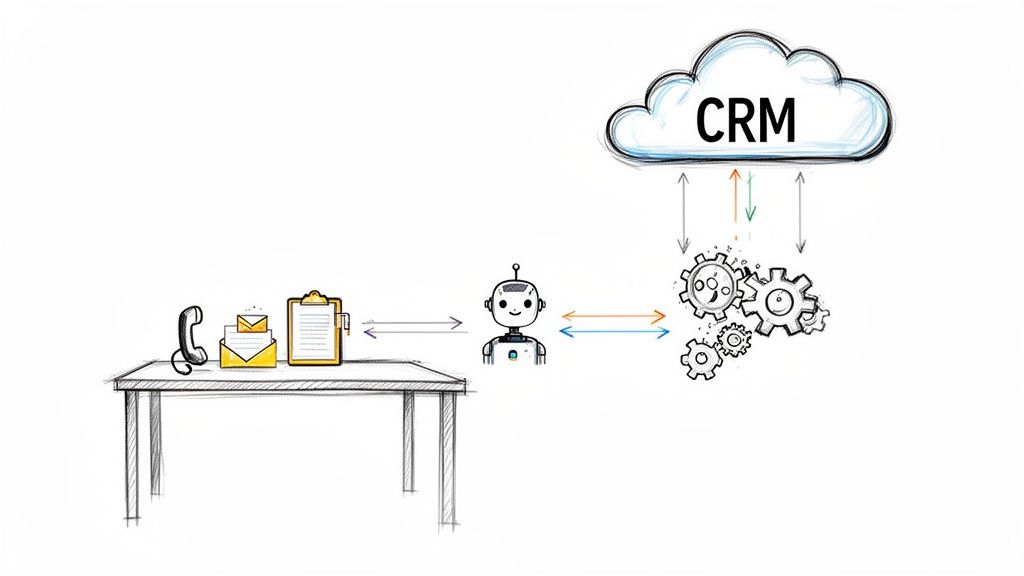
Your CRM should be an active partner for your inside sales team. Smart automation and integrations make this happen. They turn a passive database into a hub that helps your reps sell more by removing tedious work.
Think of automation as a solution to everyday frustrations that slow your team down. When reps are not stuck with admin work, they have more time for conversations with prospects.
Wiping Out Manual Sales Grunt Work
Automation takes on tasks that humans find repetitive. This includes logging calls, transcribing meetings, and updating deal stages. These small tasks add up, stealing hours of selling time each week.
Consider Brazil's CRM software market, now valued at USD 926 million. The trend there is toward cloud-based solutions. This makes it easier for B2B sales reps to manage customer interactions. It allows inside sales teams to use mobile CRM to stay synced during virtual calls. They can automatically capture buyer objections and intent in platforms like Salesforce or HubSpot. You can read more about the growth of the CRM market in Brazil.
By connecting the right tools, you build a system where crucial data flows into your CRM automatically.
Key Integrations for Inside Sales Teams
When you integrate tools with your CRM, you create a unified sales machine. Each tool solves a specific problem. The integration ensures all valuable data ends up in one central place.
Here are a few essential integrations:
Auto-Dialers: These tools increase call volume. They automatically dial numbers from a list in your CRM. After the call, the outcome and recording are logged to the contact's record.
Email Sequencing Tools: Platforms like Outreach or Salesloft let reps build multi-step email campaigns. The CRM integration tracks every open, click, and reply. It automatically pauses the sequence when a prospect responds.
Conversation Intelligence Platforms: These tools record and transcribe sales calls. They use AI to pinpoint key topics, objections, and action items.
Automation ensures that the full context of every deal is captured without manual effort. This results in cleaner data for managers and more selling time for reps.
A Practical Automation Workflow Example
Let’s see how this works in a real scenario. An account executive (AE) has a demo call scheduled with a lead.
Before the Call: The AE’s calendar syncs with the CRM. The meeting is automatically linked to the right opportunity record.
During the Call: A conversation intelligence tool like Samskit joins the Zoom meeting. It records, transcribes, and analyzes the discussion. It identifies pain points, budget talks, and next steps.
After the Call: Within minutes, the tool drafts a call summary. It then updates the opportunity stage in the CRM, logs key takeaways, and creates a follow-up task for the AE.
In this workflow, the AE’s post-call admin work is cut from 15-20 minutes to a two-minute review. The captured data is more detailed and accurate than notes typed from memory. For teams ready to build this efficiency, you can explore tools that automate CRM updates from sales calls.
This workflow helps the sales rep, the manager, and the customer success team. This is how you use a CRM inside sales strategy to build an efficient revenue engine.
A Framework for Making Your CRM Stick
An expensive CRM that your inside sales team does not use is a useless database. Getting them to use it is a people problem, not a tech problem. Your mission is to show each rep how the CRM benefits them. Transform it from a chore into their most valuable sales tool.
Ditch the feature-dump training sessions. Focus on practical, workflow-based training that solves reps' daily problems. When they see the CRM saving them time and helping them close deals, they will use it.
Getting Leadership and Sales Reps on Board
First, you need buy-in from leadership. They must see the CRM as a strategic tool, not just a reporting dashboard. Their enthusiasm sets the tone for everyone else.
It is also crucial to involve your reps from the beginning. Ask them about their biggest daily frustrations. What admin work slows them down? Use their feedback to set up the CRM. When reps see their suggestions in the system, they feel a sense of ownership.
A successful CRM rollout answers one question for every user: "How does this make my job easier and help me hit my targets?" If you can't answer that, adoption will fail.
The Pre-Launch Implementation Checklist
A chaotic launch will kill momentum. A structured rollout is the only way to succeed. Use this checklist before you launch to ensure your team is ready.
A 4-Step Pre-Launch Plan:
Define Your 'Why' and Key Metrics: Be clear about what you want to achieve. Is it a shorter sales cycle or a higher win rate? Pinpoint the KPIs you will use to measure success.
Configure for Workflows, Not Just Data: Set up your pipeline stages and automation rules to match how your team sells.
Run a Pilot with Power Users: Ask a few tech-savvy reps to test the system. They can find confusing parts and act as internal champions during the full rollout.
Develop Role-Specific Training: Show SDRs how the CRM helps them prospect. Show AEs how it makes pipeline management easier.
Driving Long-Term Adoption
The launch is just the beginning. To keep momentum, you need consistent effort. Share wins publicly. Recognize reps who use the CRM in smart ways to close deals. Offer regular, short training sessions.
Automation is your secret weapon. When reps see how a tool like Samskit automatically logs their call notes, they feel the benefit immediately. This hands-free help improves data quality and reinforces the CRM's value. You can see how sales assistant tools reduce manual CRM entry.
By putting your people and their processes first, you will turn your CRM into the backbone of your crm inside sales team.
Frequently Asked Questions About CRM for Inside Sales
Here are some common questions from B2B sales teams, with straightforward answers to help you get the most from your platform.
How Do We Choose the Right CRM?
Focus on your team's daily reality, not a long list of features. A platform with a hundred functions is useless if it doesn't do the ten things your team does all day, every day.
Start by mapping your current sales process. Then, look for a CRM that is:
Easy to Use: The interface must be simple. If it's clunky, reps won't use it consistently.
Integrates Well: It must connect with the tools your team already uses, like email and calendar.
Scalable: The CRM should be able to grow with your business. You don't want to replace it in two years.
What Is the Real ROI of a CRM?
The return on investment from a CRM is more than just an increase in closed deals. The immediate value comes from efficiency gains across your entire sales process.
The single biggest ROI driver of a good CRM is time. It automates low-value admin work, giving your sellers' time back to them so they can focus on selling.
To measure your ROI, look at:
Time Saved: How many hours a week do reps get back from not having to do manual data entry?
Increased Productivity: Are activity metrics like calls made and meetings booked increasing?
Shorter Sales Cycles: Is data helping deals move through the pipeline faster?
How Can We Encourage Consistent Team Adoption?
Poor adoption kills CRM value. To get your team on board, you must answer their question: "What's in it for me?"
Frame the CRM as a tool that makes their job easier, not a management tool for gathering data. Show them how it helps them organize their day, prevent leads from being forgotten, and hit their quota.
A great way to drive adoption is to integrate tools that solve their biggest admin problems. When a system automatically updates deal notes after a call, reps see the CRM as a helpful assistant. This change in perception is key for long-term, consistent use.
Ready to eliminate manual CRM updates and give your inside sales team more time to sell? Samskit is the sales assistant that automatically turns your customer meetings into accurate CRM entries and clear next steps, ensuring your data is always reliable. Learn more about Samskit.