

Trying to win over your competitor's customers is difficult. It is a crowded and defensive strategy. A better approach is to find prospects who are already likely to need your product.
This is the goal of similar tech prospecting. You focus on businesses that use technologies complementary to yours, not direct rivals. These companies have already invested in solving a related problem. This makes them more receptive to your solution.
Why Similar Tech Prospecting Delivers Warmer Leads
This strategy shifts you away from direct competition. The premise is simple: if a company uses a tool that integrates with or complements your solution, they are already partly qualified. They understand the value of technology in that business area and have an established budget.
This changes your outreach dynamic. You are not trying to prove you are better than their current provider. Instead, your conversation can start with, "I see you're using X. We can make your investment in X more powerful." This is a partnership pitch, not a replacement pitch.
Find Your Tech Neighbors
When you target a company based on a complementary technology they use, you establish immediate relevance. Your solution becomes a logical addition to their existing workflow, not just another cold email.
Here is how this approach makes a difference:
Faster Sales Cycles: These prospects understand the context. You can skip basic education and focus on demonstrating specific value.
Higher Win Rates: The lead is warmer. They are already invested in optimizing that part of their business.
A More Compelling Pitch: You position your product as an enhancement. This conversation faces less internal resistance than asking them to replace an existing tool.
This flow diagram shows how the strategy moves from a broad approach to a focused method for finding better leads.
The bottom line: Filtering your prospect list for 'similar tech' transforms a large, undefined pool of companies into a focused group of relevant, warm leads.
This tactic is effective in high-growth markets. Consider Brazil's e-commerce sector, projected to reach $435.4 billion by 2026 with a 17% compound annual growth rate.
This growth means companies need tools to manage complex sales cycles. They are actively building their tech stacks, making them ideal targets for solutions that automate CRMs and integrate with their new tools. This market analysis from PagSeguro provides more detail on this trend.
Building Your Prospect List With The Right Data
Effective similar tech prospecting depends on data quality. The goal is to build a precise, actionable list where every contact is a genuine opportunity. Prioritize quality over quantity.
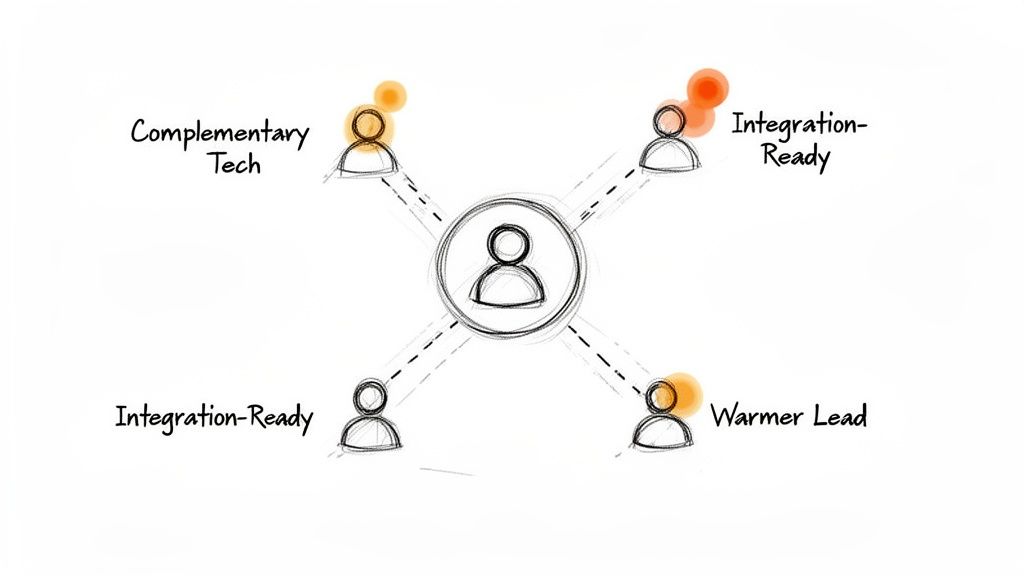
To do this, you need two types of data. First, technographics tell you what software a company uses. Second, intent data provides clues that a company is actively looking for solutions. Combining these two provides a powerful way to filter prospects.
Find Signals in Public Information
You do not always need expensive tools to find these signals. Much of this information is publicly available if you know where to look.
Here are a few effective, no-cost methods to start:
Job Postings: Search job boards for roles requiring experience with a technology that complements yours. A company hiring a "Salesforce Administrator" is clearly invested in that ecosystem.
Case Studies & Testimonials: Check a prospect's website. If they feature a case study with one of your integration partners, that is a strong signal.
LinkedIn Profiles: Professionals often list their software skills. Searching for a "Sales Manager" who also lists a key complementary tech on their profile can generate a list of individuals to contact.
Paid data providers offer this information at scale and with greater accuracy. Tools like BuiltWith or LeadFeeder can reveal a company’s tech stack or show you which businesses are visiting your website.
A common mistake is relying on a single data source. The most reliable prospect lists are built by cross-referencing information. A job posting that confirms what a data provider reports turns a good prospect into a great one.
Here is a breakdown of data sources.
Data Sources for Similar Tech Prospecting
Data Source | Type | Best For | Cost | Limitation |
|---|---|---|---|---|
Job Boards (e.g., LinkedIn) | Technographic | Finding companies actively investing in specific ecosystems. | Free | Manual, time-consuming, and provides a snapshot in time. |
Company Websites | Technographic | Identifying direct evidence of tech partners through case studies. | Free | Only works for companies that publicly share partner stories. |
Social Profiles | Technographic | Pinpointing individual users of specific tools within target accounts. | Free | Relies on individuals keeping their profiles up-to-date. |
Technographic Providers (e.g., BuiltWith) | Technographic | Getting a comprehensive view of a company’s full tech stack. | Paid | Can be costly and may not always capture newly adopted tools. |
Intent Data Platforms (e.g., Bombora) | Intent | Identifying accounts actively researching relevant topics. | Paid | Signals don't always guarantee an active buying cycle. |
Website Visitor ID (e.g., LeadFeeder) | Intent | Seeing which companies are visiting your website in real-time. | Paid | Only identifies the company, not the specific individual. |
The right mix of free and paid tools depends on your team's budget and scale.
Practical Search Queries to Start
You can put this into action with platforms like LinkedIn Sales Navigator. Use Boolean searches to target the right people by combining role titles with specific software keywords.
Example Search Queries for LinkedIn:
("Sales Operations" OR "Revenue Operations") AND "HubSpot" AND "SaaS""Account Executive" AND "Pipedrive" AND "Experience""Customer Success Manager" AND ("Salesforce" OR "SFDC")
These simple searches are effective for finding individuals already working in your technology’s neighborhood.
This type of prospecting is especially effective in fast-growing markets. In Brazil, the IT market grew by 13.9% in 2024, becoming the 10th largest globally. With 90% of large Brazilian firms adopting AI and IT spending exceeding $50 billion, companies there are eager to modernize. This is a significant opportunity for B2B SaaS solutions. Read more about Brazil's IT investment trends at Nearshore Americas.
Handle all sourced data responsibly. Adhere to data privacy best practices. A well-built list delivers better results and respects your prospects. You can review our guide to understanding our privacy policy.
Crafting Outreach That Resonates
You have built a well-researched prospect list. That is an important step, but outreach is the real test. Prospecting based on similar tech gives you an advantage here. Generic messages fail; relevant ones start conversations.
The key is to show you understand why they use a specific technology and connect it to a problem you solve. This simple shift frames you as a strategic partner, not just another sales rep.

From the first sentence, your goal is to prove your value. You are not just pitching something new. You are referencing their current workflow and showing them how to improve their existing investments.
The Fine Line Between Insightful and Invasive
There is a delicate balance. Show you have done your research without appearing intrusive. It all depends on how you frame your insight.
Don't do this: "My software shows you use HubSpot and Zoom." This sounds invasive and focuses on your tools.
Do this instead: "Saw on LinkedIn your team is hiring reps with HubSpot experience. Many teams we work with use our solution to get call data from Zoom directly into HubSpot, saving them hours of admin work." This is insightful. It connects public information (a job post) to a genuine pain point.
Good outreach feels like a helpful observation, not surveillance. It shows you understand the challenges of their tech stack and have a direct way to help.
The message must be about them and the value they receive. It is not an opportunity to show off your data-gathering skills.
Practical Outreach Templates That Get Replies
General templates are a starting point, but personalization secures meetings. The structure below connects their existing technology to your value proposition, making it easy to adapt for each prospect.
A Simple Email Template Structure:
Subject Line: Be specific and make a clear connection.
Example:
Idea for your HubSpot <> Zoom workflow
Opening Line: Reference the complementary tech and introduce a common problem.
Example:
Noticed your sales team is built around HubSpot. A common challenge we see is getting detailed notes from sales calls on Zoom into the CRM quickly and accurately.
Value Proposition: Be direct. Explain how you solve that one specific problem.
Example:
Our tool, Samskit, automatically syncs call notes and next steps from Zoom into HubSpot deals. This gives managers better visibility and saves reps manual data entry.
Call to Action: Be specific and low-friction. Avoid vague requests like "let's connect."
Example:
Are you open to a 15-minute call next week to see how it works?
You can adapt this framework for a concise LinkedIn connection request or InMail. Focus on the first two points to establish relevance immediately.
The goal is to show you can add value to an investment they have already made. This collaborative approach is more effective than asking them to replace a tool they rely on.
How to Qualify Prospects and Capture Buying Signals
Getting a prospect on a call is the first step. The real work begins now. Your goal is to determine if this is a genuine opportunity by exploring their experience with the complementary software you identified.
Think of your discovery call as a diagnosis, not a pitch. Your mission is to understand their workflow, gauge their satisfaction, and identify the exact challenges that make your solution a necessity. This process turns a well-researched lead into a qualified prospect.

When done correctly, this provides a more accurate picture than standard CRM fields. It helps your team prioritize deals that are truly worth pursuing.
Key Questions to Uncover Pain and Opportunity
To guide the conversation, you need questions that get to the core of the issue. Use a targeted discovery script. Probe their relationship with the technology they use. The goal is to get them talking about their process, frustrations, and objectives.
Here are a few effective lines of questioning:
Process & Workflow: Start broad. "Could you walk me through how your team currently uses [Complementary Tech] for [Specific Task]?" This encourages them to describe their daily reality.
Satisfaction & Gaps: Get specific. "What is the one thing you wish [Complementary Tech] did better regarding [Area You Solve]?" This directly uncovers dissatisfaction and highlights gaps your solution can fill.
Integration Needs: This often reveals hidden pain points. "How does information from [Complementary Tech] get to other tools, like your CRM?" This can uncover manual data entry and other inefficiencies.
Business Impact: Connect their challenges to business outcomes. "When that process fails, what is the impact on your team's productivity or report accuracy?"
The real value is in the follow-up. When a prospect mentions a frustration, dig deeper. Ask, "Tell me more about that," or "How often does that happen?" This is how you find acute pain points.
Asking these questions changes the dynamic. You become a consultant helping them identify problems in their workflow they might not have noticed.
A Workflow for Signal Capture and Qualification
During a discovery call, it is easy to miss key buying signals while taking notes. Mentions of budget, specific pain points, or urgent timelines can get lost.
Sales assistant tools can help. They can automatically join your calls, record and transcribe them, and analyze the conversation for important signals. This workflow ensures you capture critical information without distracting you from the conversation.
Here's a simple workflow:
Configure the tool: Set up a tool like Samskit to automatically join and record your calls.
Define keywords: Create a list of keywords to track, such as competitor names, budget terms ("next quarter"), and pain-related phrases ("manual nightmare," "wasting time").
Focus on the call: During the call, stay present and build rapport, knowing the tool is capturing details.
Review the analysis: After the call, review the transcribed conversation. The tool will have flagged key moments, objections, and buying signals.
Update the CRM: Use the captured information to accurately update your CRM fields and qualify the opportunity.
This process frees you from note-taking. You can listen actively and build a better connection. The result is a perfect record of the conversation, ensuring you never miss a buying signal and making your qualification process more accurate.
Weaving Insights Into Your Sales Rhythm
One-off wins are good, but a repeatable engine is better. Turn what you learn on calls into structured data to sharpen your entire sales process. Create a system that improves with every conversation.
First, this new data must flow into your CRM. If you identify prospects using a key complementary technology, that information needs a dedicated place. Tossing it into a notes field makes the data difficult to use for reporting or future campaigns.
The solution is to create custom fields in your CRM to capture this context.
Building Your In-House Tech Intelligence
Start by deciding which fields are most important. You do not need to track every piece of software. Focus on technologies that frequently appear in your closed-won deals.
Here is a practical checklist for setting up your CRM:
[ ] Create a "Complementary Tech" field: Use a multi-select picklist to tag accounts with tools like HubSpot, Pipedrive, or Salesforce.
[ ] Add a "Tech Pain Level" field: Use a simple dropdown (Low, Medium, High) to score a prospect's frustration with their current tech.
[ ] Include an "Integration Mentioned" field: Use a checkbox to flag if a prospect specifically discussed integrations.
[ ] Establish a data entry process: Ensure your team consistently populates these fields after each discovery call.
Once these fields are set up, every call enriches your CRM. This makes your future similar tech prospecting more precise because you can build lists based on technology pairings you know are effective.
The goal is to move crucial knowledge from individual reps' minds into a central, searchable database. This data becomes a strategic asset for the entire revenue team.
Automating Data Capture to Close the Loop
Asking reps to manually update these new fields is a good start, but it can be inconsistent. Automation can create a powerful feedback loop, ensuring your data is always accurate.
A sales assistant tool can detect technology mentions during a live call and push that information directly into the correct CRM fields. This removes the administrative burden from your team and ensures insights are captured accurately. See how a tool like Samskit automates CRM updates from call data to understand this process.
This continuous stream of fresh, accurate information improves your list-building, helps marketing run smarter campaigns, and gives sales managers a data-backed view for coaching.
A Quick Playbook for Data-Driven Deal Reviews
This new layer of data makes deal reviews and training sessions more valuable. Instead of relying on memory, you can base coaching on what was actually said on the call.
When Reviewing a Lost Deal: Filter your CRM by the 'Complementary Tech' the lost account used. Review call snippets where integration or tech pain was discussed. Did your rep successfully connect your solution to the prospect's existing stack?
When Coaching a New Rep: Have them listen to call recordings with prospects who use a common complementary tool. This helps them learn how to frame the conversation and handle objections from top performers.
When Looking for Upsell Opportunities: Run reports on current customers and filter them by the complementary tech they use. Identify patterns your account management team can use to build targeted expansion lists.
Frequently Asked Questions
How Do I Find the Right Complementary Tech to Target?
Start with your existing successful customers. Analyze your CRM to find patterns. What other tools consistently appear in the tech stacks of your best accounts?
Also, talk to your customer success team. They have firsthand knowledge of integration challenges and workflow gaps. Ask them which tools customers frequently mention. Focus on technologies where you can build a clear "better together" story.
Is This Different From Targeting Competitor Customers?
Yes, the difference is significant. Targeting a competitor's customers often leads to a feature-by-feature comparison, which usually becomes a discussion about price.
Prospecting for similar tech changes the conversation. It positions your product as an enhancement, not a replacement. The discussion becomes collaborative ("we can make what you use even better") rather than confrontational ("we are better than your current tool").
The core idea is to join their existing workflow, not disrupt it. You complete their tech stack, which is an easier internal sell than replacing a tool they already use.
Can a Small Team Use This Prospecting Strategy?
Yes. This strategy is well-suited for smaller teams with limited resources. While large data providers offer scale, this approach emphasizes quality over quantity.
A small team can achieve good results using free methods. The key is to focus on a curated, highly-qualified list rather than a broad, untargeted approach. This is an efficient use of limited time and resources.
You can learn more by exploring different ways to build your prospect lists on our guide on the Samskit waitlist page.
Ready to turn customer conversations into accurate CRM updates automatically? With Samskit, your team can focus on selling, not data entry. Get started with Samskit.